
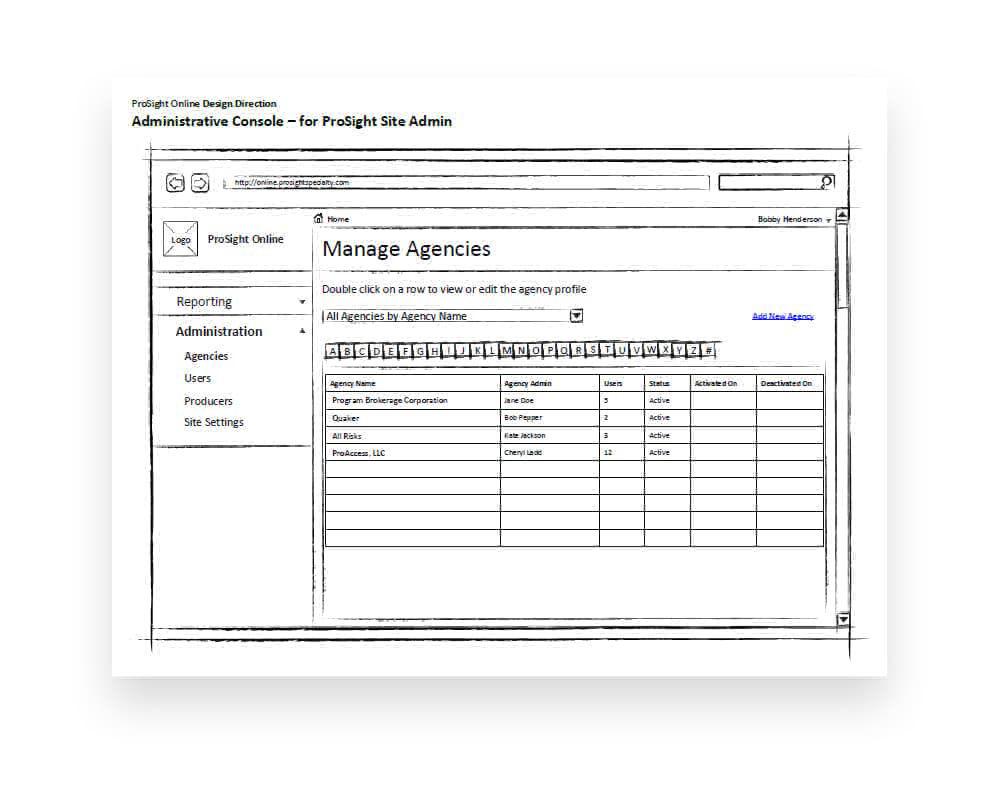
Context & Problem
ProSight Specialty Insurance needed to replace its existing SharePoint-based Agent Portal with a broader customer service and solutions portal called ProSight Online. The existing system was limited in scope, rigid in structure, and only served agents. But the business needed a single entry point where agents, retailers, policyholders, and claimants could all perform queries, access reports, and retrieve claims and policy information.
Users were working around the system instead of through it. Agents called in for information that should have been self-service. Policyholders had no direct access to their documents. Claimants couldn't track claim status without phone calls. The portal wasn't just outdated; it was actively generating support overhead by failing to serve its audience.
My Role & Scope
I served as UI/UX Designer responsible for the end-to-end customer portal experience. This covered information architecture, navigation design, role-based dashboard configuration, and self-service workflows for all four user personas. I worked within SharePoint's platform constraints while collaborating with business analysts, the development team, and stakeholders who understood the regulatory and operational realities of commercial insurance.
Constraints
- SharePoint as the platform: The portal was built on SharePoint, which imposed significant limitations on layout flexibility, interaction patterns, and frontend customization. Design decisions had to account for what the platform could realistically support without custom development becoming untenable.
- Four personas, one interface: Agents running queries, retailers checking policy status, policyholders seeking documents, and claimants tracking claims all needed to be served through a single portal. The experience had to feel tailored to each without becoming a maze of role-based navigation.
- Regulatory and compliance requirements: Insurance portals carry strict requirements around data visibility, authentication, and audit trails. Every design decision needed to pass compliance review, particularly around what each user type could see and access.
- Legacy data integration: The portal needed to surface data from existing backend systems that weren't designed for direct customer access, requiring careful consideration of data presentation and error states.
Process & Key Decisions
1. Single entry point, role-aware experience
The critical design decision was creating one portal that adapted based on user role. Rather than building four separate interfaces, I designed a shared framework where navigation, dashboard widgets, and available actions were contextually configured. An agent landing on the portal saw policy search and commission reports; a claimant saw claim status and document uploads. Same architecture, different surface.
2. Self-service over support dependency
The portal was designed with a clear goal: reduce call center volume by surfacing the most commonly requested information directly. Policy documents, claim status, loss runs, commission statements, all of these were things users previously called or emailed to obtain. Making them self-service wasn't just a convenience improvement; it was an operational cost reduction.
3. Designing within SharePoint's constraints
SharePoint was a given, not a choice. Rather than fighting the platform, I worked within its capabilities, leveraging web parts, custom page layouts, and branding customization to create a portal that felt purpose-built rather than template-driven. The design balanced visual quality with technical feasibility at every step, and the result felt intentional rather than compromised.
4. Progressive task completion
Complex insurance tasks, filing a claim, requesting a document, submitting a query, were broken into clear sequential steps with visible progress. Users could save and return to in-progress tasks, reducing abandonment and giving them confidence that the system was working with them rather than against them.
What Changed
A single, role-aware portal replaced the fragmented SharePoint agent portal, serving all four user personas through one unified experience
Self-service access to policy documents, claim status, loss runs, and reports eliminated the need for phone-based support on routine queries
SharePoint customization produced a portal that felt purpose-built for insurance workflows rather than a generic content management template
Step-by-step task flows with save-and-return capability made complex insurance processes approachable and reduced form abandonment
Selected Work
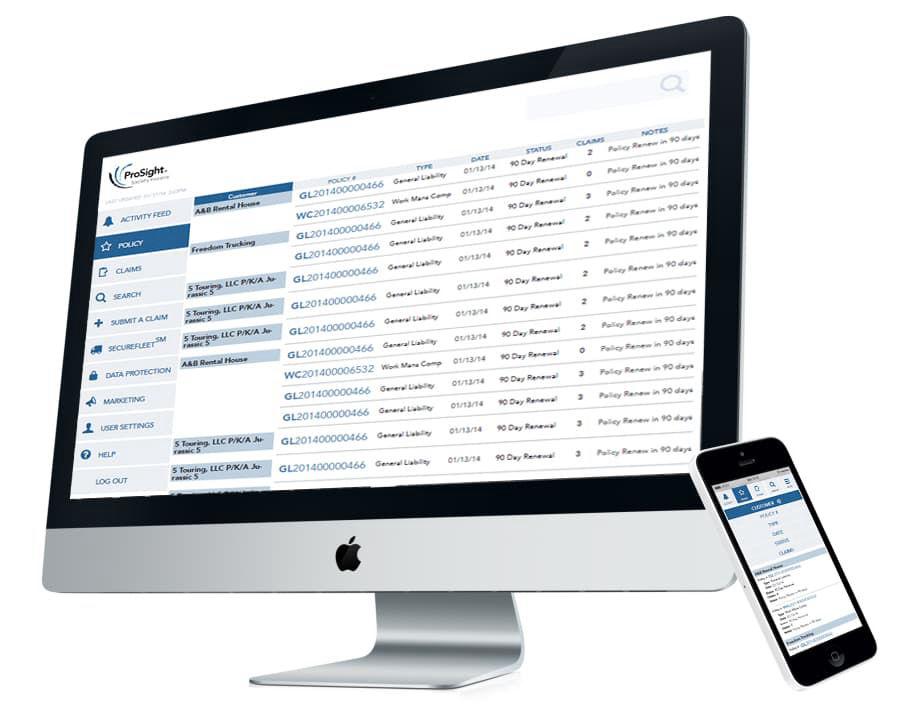
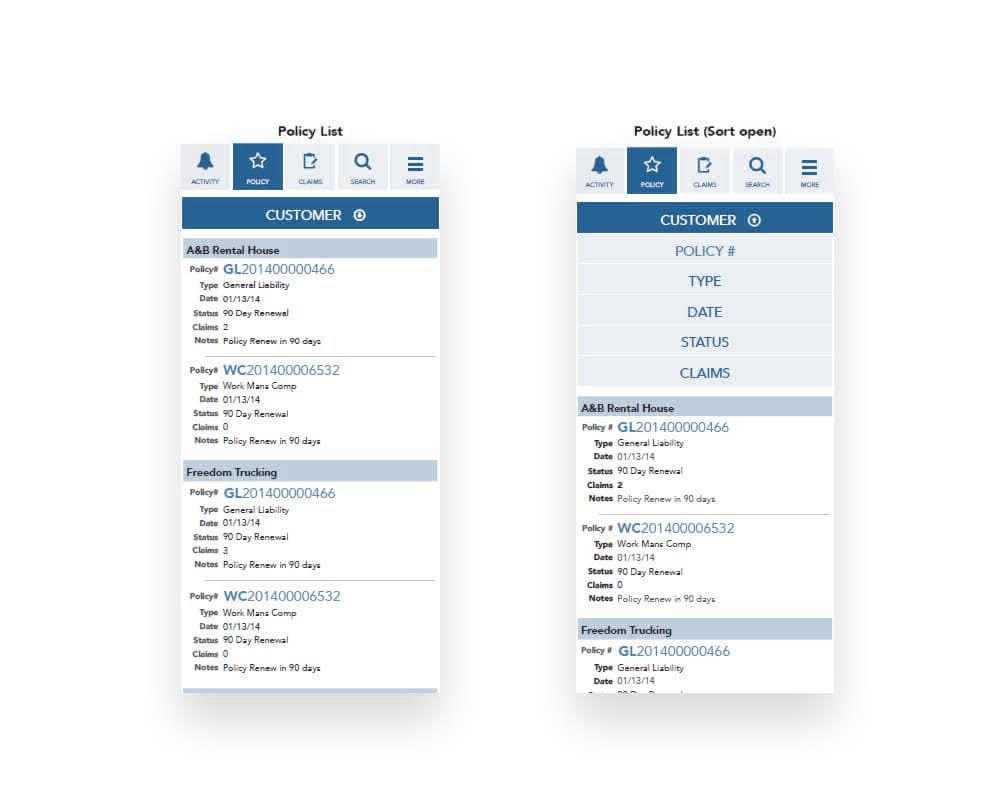
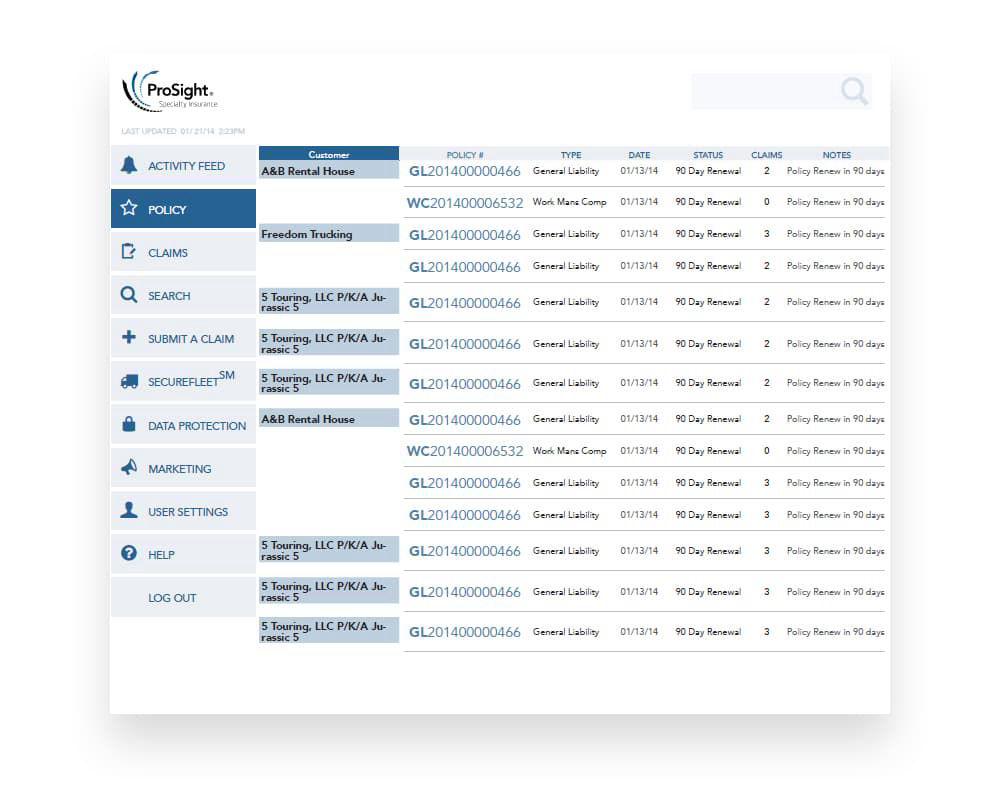
Outcome & Impact
The portal delivered measurable improvements in how ProSight's customers interacted with the company:
- Reduced support call volume: Self-service access to policy information, claim status, and reports meant fewer routine inquiries reaching the call center. The portal handled queries that previously required human intervention.
- Faster task completion: Structured workflows and clear information hierarchy allowed users to find what they needed and complete tasks without navigating dead ends or ambiguous interfaces.
- Scalable portal architecture: The role-aware framework provided a foundation that could accommodate new user types and features without a structural redesign, extending the portal's useful life well beyond initial launch.
- Consolidated user experience: Four distinct user groups, previously served by disconnected tools and phone calls, now had a single destination that understood their role and surfaced relevant content accordingly.
Lessons Learned
Design within constraints, not despite them
SharePoint was a limitation, but fighting the platform would have produced a worse outcome than designing intelligently within it. Constraints force clarity, and the result was a portal that felt intentional rather than compromised.
Unification doesn't mean uniformity
Serving four distinct personas through a single interface taught me that a shared architecture works only when the surface experience is contextual. The portal was one system, but it felt different to each user type, and that distinction is what made it work for everyone.
Self-service is an operational strategy, not just a UX improvement
Every query the portal handled was a phone call the support team didn't take. Framing self-service as a cost reduction strategy, not just a user convenience, was critical for getting stakeholder buy-in on the depth of investment required.